
Appearance
How profiles are set up
A profile is a saved set of questions. Build it once for a kind of loss, and every assignment you create from it asks the same things in the same order.
This is the part of the console with the most depth to it, so this page explains the shape of it before the buttons.
Profiles live on a team, under the Profiles tab.
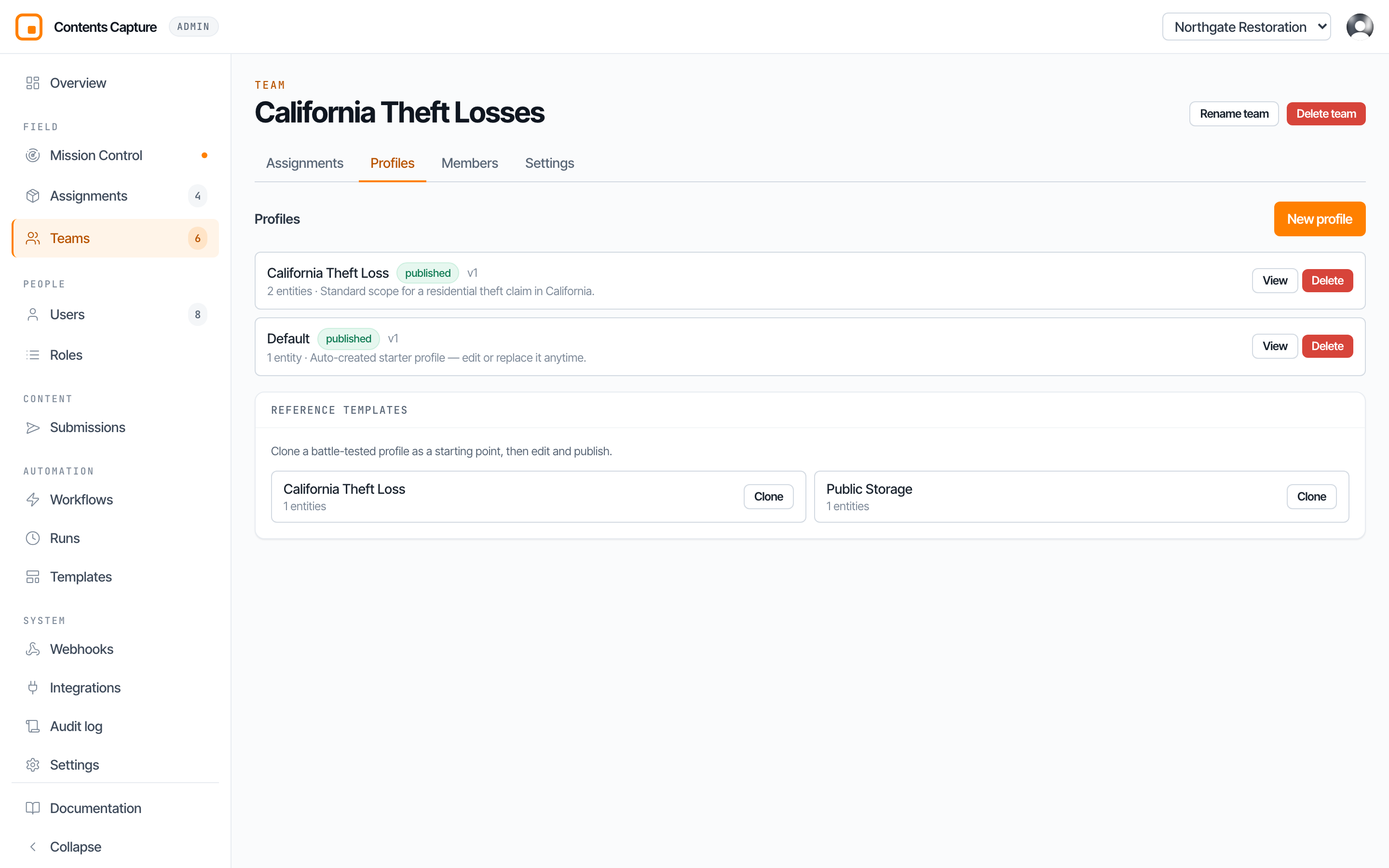
The three layers
Everything is built from three nested pieces. Once you see them, the whole builder makes sense.
Profile            "California Theft Loss"
   └── Entity      "Item"
          └── Field   "Condition"
A field is one question. "What condition is it in?" It has a type, so the app knows whether to show a text box, a date picker, or a list to choose from.
An entity is a group of questions that belong together. "Item" might hold description, condition, age, and replacement cost. "Loss Information" might hold the questions you ask once about the claim itself.
A profile is the whole bundle. All the entities, saved under one name, ready to be used.
The two decisions that define an entity
Each entity answers two questions, and these are what people find confusing. They are worth slowing down for.
Where does it attach?
An entity hooks onto one level of the job. This decides when the field user is asked.
| Attaches to | Asked when | Good for |
|---|---|---|
| Assignment | Once, for the whole job | Was a police report filed? |
| Room | Once per room | Room dimensions, flooring type |
| Group | Once per item bundle | Item description, condition, value |
| Media | Once per photograph | A note about this specific shot |
How many of them are there?
| Cardinality | Meaning |
|---|---|
| Single | Exactly one, like a form filled in once. |
| Many | A list that grows, like an inventory of items. |
Put those together and the behaviour falls out. "Loss Information" attaches to the assignment and is single, so it is asked once at the start. "Item" attaches to the group and is many, so field staff add as many as they find.
The question types available
| Type | What the field user sees |
|---|---|
| Text | A single line box |
| Long text | A paragraph box |
| Number | A number, keypad on phones |
| Currency | A money amount |
| Boolean | Yes or no |
| Date | A date picker |
| Date and time | A date and clock picker |
| Select | Pick one from your list |
| Multiselect | Pick several from your list |
| Phone | A phone number |
| An email address | |
| Barcode | Scan a barcode or QR code with the camera |
| File | Attach a document, such as a police report |
| Media reference | Point at a photograph already captured |
| Signature | Sign on the screen with a finger |
TIP
Prefer select over text wherever you can. Free typing gives you "good", "Good", and "gd" in the same column. A list of choices gives you data you can actually count and export.
Making questions required, and making them appear
Each field can carry rules: required or optional, minimum and maximum values, minimum and maximum length.
More usefully, a field can be set to appear only when another answer matches.
Ask "Do you have the police report to attach?" only when "Have you filed a police report?" was answered yes.
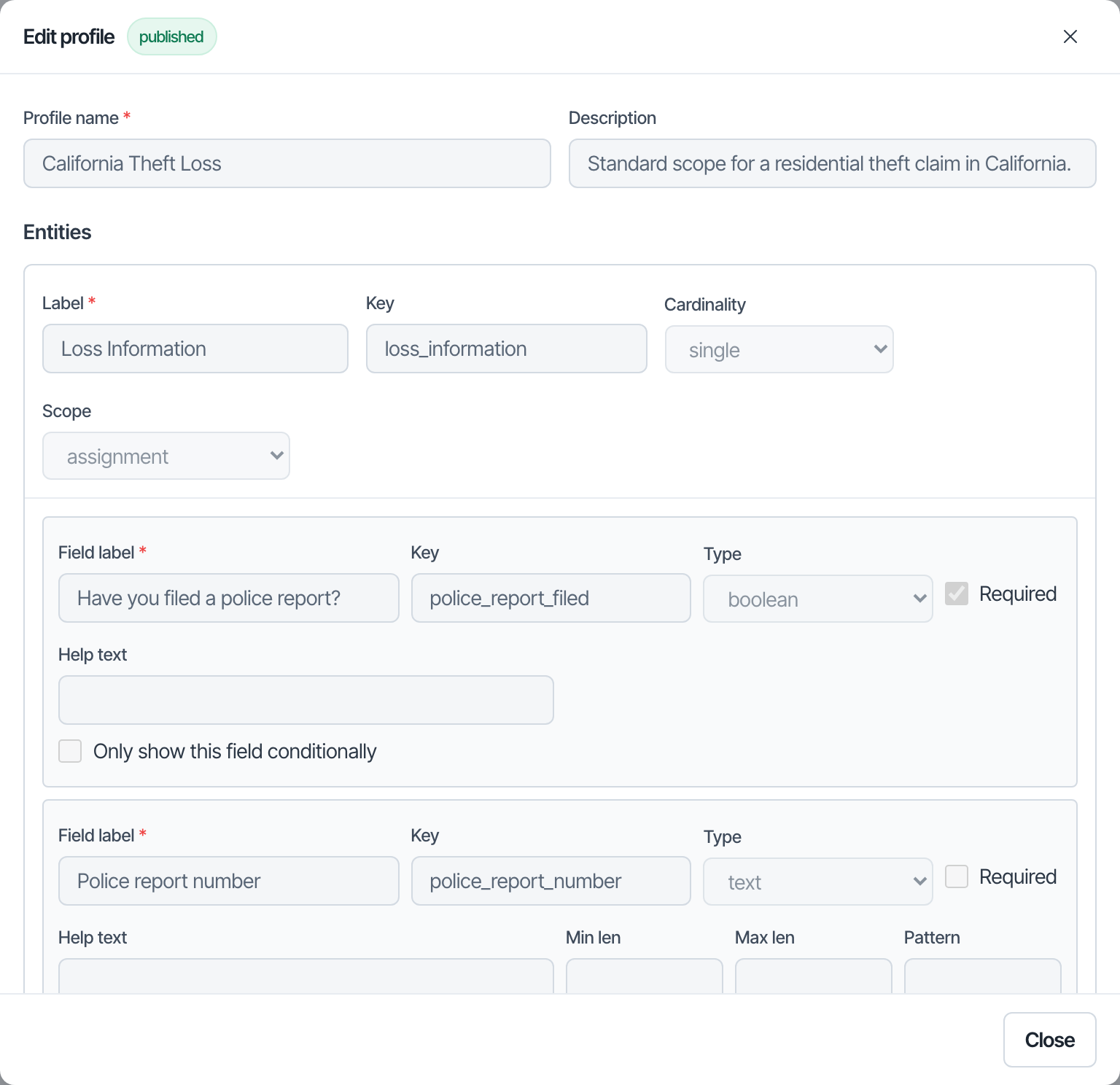
This is how you keep the field experience short. Ten questions where two are relevant beats ten questions asked every time.
Draft and published
A profile is in one of three states.
| State | What it means |
|---|---|
| Draft | You are still working. Nobody can create assignments from it. |
| Published | Live and usable. |
| Archived | Retired. Existing work is untouched, but no new assignments. |
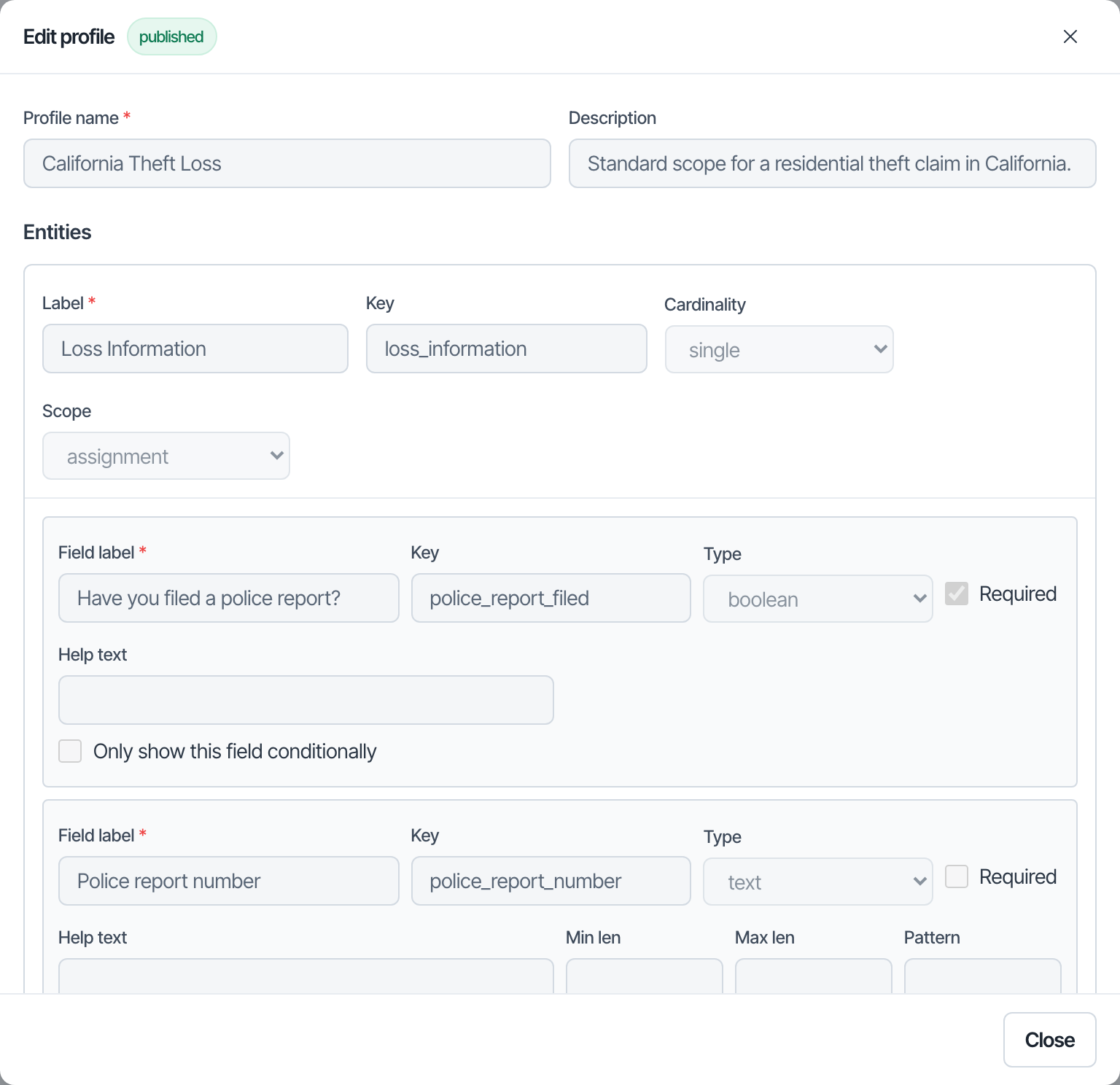
Work in draft for as long as you like. Publishing is the moment it becomes real.
Published profiles open read only
Once published, opening a profile shows View rather than Edit, and the fields are greyed. That is intentional. It stops somebody quietly reshaping a schema that live assignments were created from.
Versions, and why editing is safe
This is the most important thing on this page.
Every published profile carries a version number. Edit and republish, and the version goes up.
Now, the part that matters: when you create an assignment, it takes a permanent photocopy of the profile as it exists at that moment. The assignment stores that copy for good.
So:
- An assignment already in the field never changes because you edited the profile. Not the questions, not the order, not whether something is required.
- Assignments created after your edit use the new version.
- Two assignments from the same profile, created weeks apart, may legitimately differ. Each one shows the version it was created from.
Why it was built this way
Photographs and answers are evidence. Evidence has to keep the rules it was collected under. If editing a profile could reach backwards and change a job from last March, no documentation from this system would be defensible.
The practical upshot: you can edit a published profile without fear. You are never going to disturb work in progress.
Starting from a ready made profile
You do not have to start from nothing. The builder can copy in a reference profile with one click, including California Theft Loss and Public Storage.
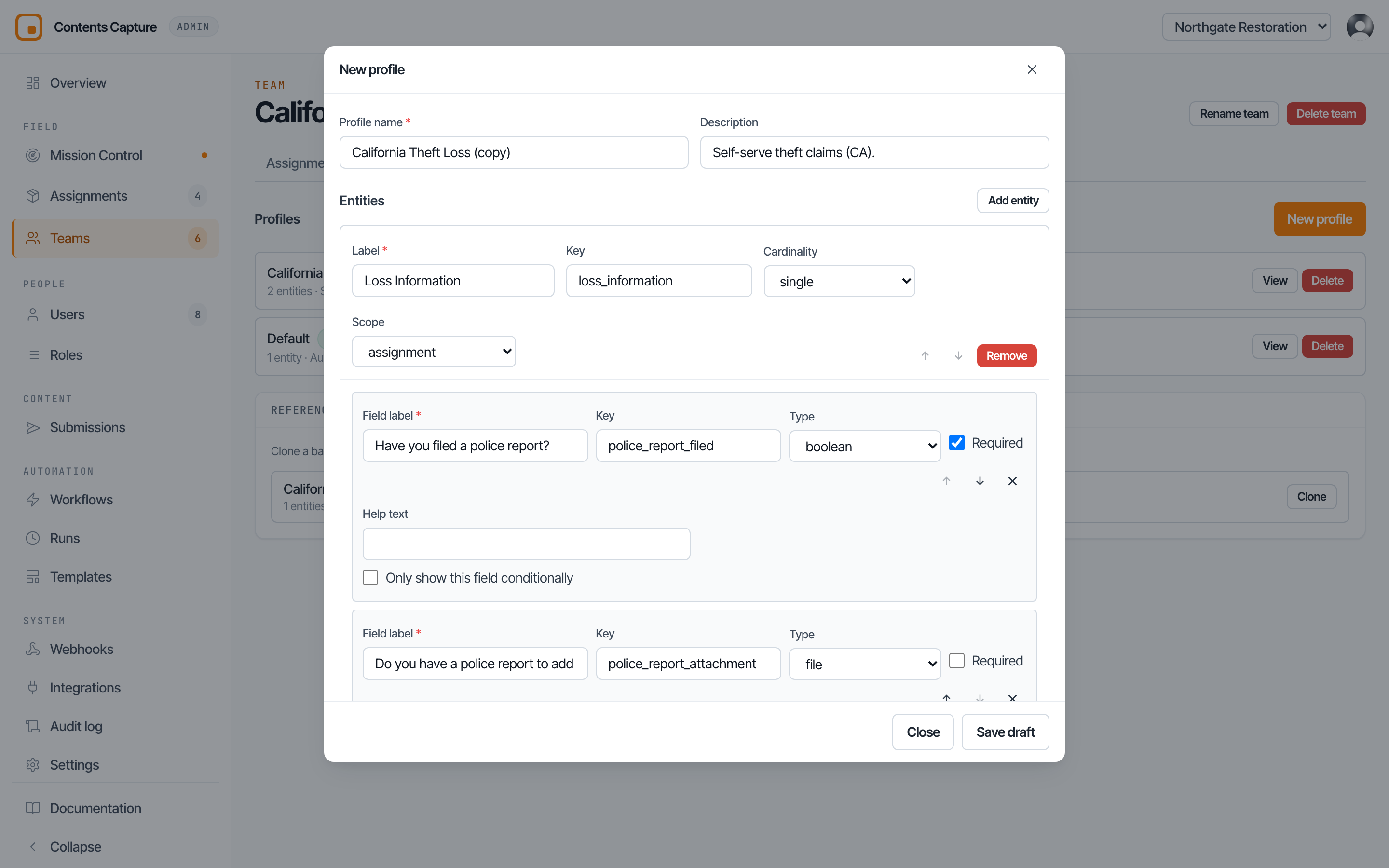
Copy the closest one, then cut what you do not need. Editing something real is much faster than facing an empty screen.
A sensible way to build one
- Write the questions on paper first. Decide what you want to know before you touch the builder.
- Group them. Questions about the claim, questions about a room, questions about an item.
- Place each group. Claim questions attach to the assignment and are single. Item questions attach to the group and are many.
- Pick types. Choose select over text wherever a list will do.
- Mark only what is genuinely required. Every required field is a place a field user gets stuck at eleven at night in a burnt out house.
- Add conditions so rarely relevant questions stay hidden.
- Publish, then create one test assignment and walk it on a phone yourself.
WARNING
Step seven is not optional. A profile that reads beautifully in the builder can be miserable on a phone in gloves. Ten minutes of testing saves a lot of complaints.
Next: How to create an assignment.